
Which 2026 Harley-Davidson® CVO™ Road Glide® ST Ride Mode Fits Shrewsbury, PA Roads Best?
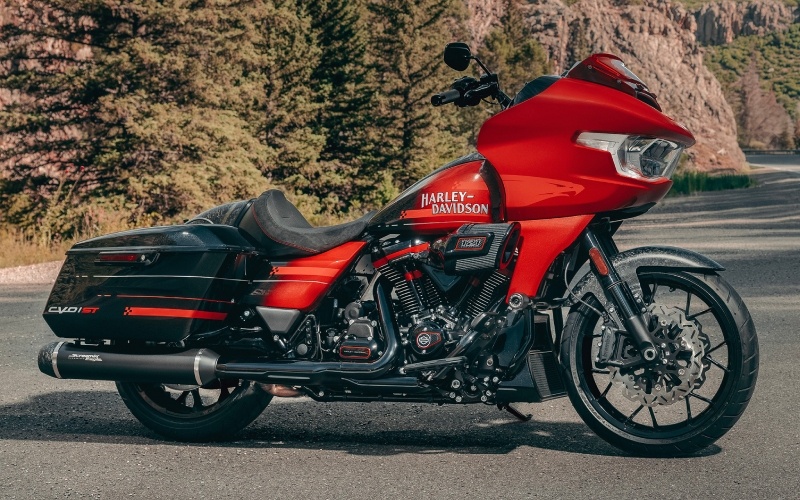
Eisenhauer's York Harley-Davidson® - Which 2026 Harley-Davidson® CVO™ Road Glide® ST Ride Mode Fits Shrewsbury, PA Roads Best?
Riders who split time between brisk runs on I-83, scenic laps near the water, and everyday errands through town want a touring motorcycle that adapts as quickly as Pennsylvania weather. The eight ride modes on the 2026 Harley-Davidson® CVO™ Road Glide® ST do exactly that, letting you tailor throttle response, engine braking, and Rider Safety Enhancements to the road under your wheels and the confidence in your right hand.
Let’s translate what each mode feels like on real streets and highways so you can choose wisely before your next ride into or around Shrewsbury, PA. Along the way, we will share a few setup tips that help you get the most from Skyline™ OS and the Custom mode slots.
- Road: Your balanced, everyday setting with predictable throttle response and moderate intervention. Ideal for mixed-surface commutes and steady two-lane cruising when traffic flow changes often.
- Rain: Softer throttle mapping and higher intervention thresholds help keep inputs smooth on wet leaves, cold mornings, or heavy rain. Great for shoulder seasons and unpredictable conditions.
- Sport: Sharper response and reduced intervention energize backroad riding. Perfect for dry days when you want crisp roll-on power merging from short on-ramps and carving clean sweepers.
- Track: Aggressive mapping with limited intervention for experienced riders on clean pavement. Best reserved for prime surfaces where you can focus entirely on lines and braking points.
- Track+: The most direct throttle and the least intervention of the set, designed for maximum feel and immediate response on high-grip surfaces. Use when conditions and rider focus are at their peak.
- Custom 1, Custom 2, Custom 3: Three programmable slots to blend throttle, engine braking, and system thresholds to your taste — great for building a personal Rain+, a long-haul Touring map, or a favorite twisty-road setup.
On Skyline™ OS, the 12.3-inch full color TFT makes it straightforward to select and confirm a mode. We recommend naming your Custom profiles based on use — for example, “Cold Commute,” “Two-Up Tour,” or “Backroads.” This keeps your mental model clear, especially when you are toggling modes at a stoplight or before getting on the highway. If your week includes early-morning trips when roads are slick and evening runs when temperatures rise, switching between Rain and Sport with a Custom in the middle gives you confidence without overthinking it.
Pair mode choice with smart suspension baselines. Slightly increase rear preload when riding two-up to maintain composure on rolling grades and reduce front-end wallow. On rough municipal patches or bridge joints, back out a click or two of rebound to help the wheel track the surface. The idea is complementary tuning — your mode sets the personality of the power delivery and safety systems, while your suspension dials in how the bike interacts with the road.
Cornering Rider Safety Enhancements work across these modes, offering cornering-aware ABS and traction control when you most need it. Think about unpredictable turns where gravel collects at the apex or damp spots linger in shade. Keeping Street-legal traction in mind, Rain and Road maximize assistance, while Sport allows more slip angle and liveliness. Mode choice is strategy, not just a button press.
Finally, integrate your phone once and keep your cockpit clean. Apple CarPlay support and Bluetooth headset pairing reduce distractions and keep navigation visible at a glance. For those navigating through town and then stretching legs on the highway, use Skyline™ OS layouts that highlight maps in town and lean more on vehicle info and audio on longer stints.
At Eisenhauer's York Harley-Davidson®, we encourage riders to think of modes as tools. Build a small toolkit that suits your daily loop and your weekend ambitions. With consistency, you will quickly learn which profile matches the road texture, traffic flow, and weather you encounter most. Whether you are threading through local streets or setting out on a longer ride, consider a quick pre-ride checklist — mode, preload, and display layout — and you will roll out with confidence.
Frequently Asked Questions:
Which mode should I use for everyday riding around town?
Start with Road. It balances response and assistance, making it easy to navigate changing traffic, frequent stops, and unpredictable surface patches. Save Sport for dry days and clearer routes where you can enjoy a more direct connection to the throttle.
How should I set up a Custom mode for cold mornings?
Use a softer throttle map, a touch more engine braking for control, and increase intervention thresholds similar to Rain but not as conservative. Label it “Cold Commute” so it is quick to select when temperatures dip.
Do Rider Safety Enhancements still work in Sport, Track, and Track+?
Yes, they function with different thresholds depending on the mode. In Sport and the Track settings, intervention steps back to allow more freedom for experienced riders on clean pavement. The systems are designed to assist, not dominate, especially when cornering or braking abruptly.
Can I change modes while moving?
Yes, you can shift between modes on the fly in many situations. For safety and clarity, make changes at a steady speed and confirm the selection on the TFT. For significant personality shifts, we suggest changing at a stop or steady cruise rather than mid-corner.
Our team is serving Emigsville, Shrewsbury, and Thomasville with hands-on setup guidance, from naming your Custom profiles to dialing in your baseline suspension. If you want a ride plan that fits your week, we are here to help you make the most of the CVO™ Road Glide® ST’s capability.